Appendix C - Command Line Tools
The arbor package comes with command line tools that we use to run arbor via a terminal. These tools are mainly dedicated to our own usage and are subject to change without prior notice. However, since they are part of the package, readers will find quick documentation below.
Installation
Run arbor::install_cmd_tools(). The behavior of the function is OS-dependent. It has been tested on Linux only. If Windows or macOS users encounter issues, please contact us.
- Linux/macOS: it creates a symlink so that the shipped utilities are added to your PATH.
- Windows: it creates a
.batfile that should be added to your PATH.
To test whether it is working, type in a terminal:
arbor --helpSegment module
This module segments the scene (ground, semantic, instance) and produces a DTM and scene_segmented.laz.
arbor segment scene.lazTo see the available options:
arbor segment --helpQSF module
This module creates the 3D model of the forest. The input is the output of the previous module. It creates a qsm/ folder, containing one or several subdirectories depending on the desired output format.
arbor qsf scene_segmented.lazTo see the available options:
arbor qsf --helpReport module
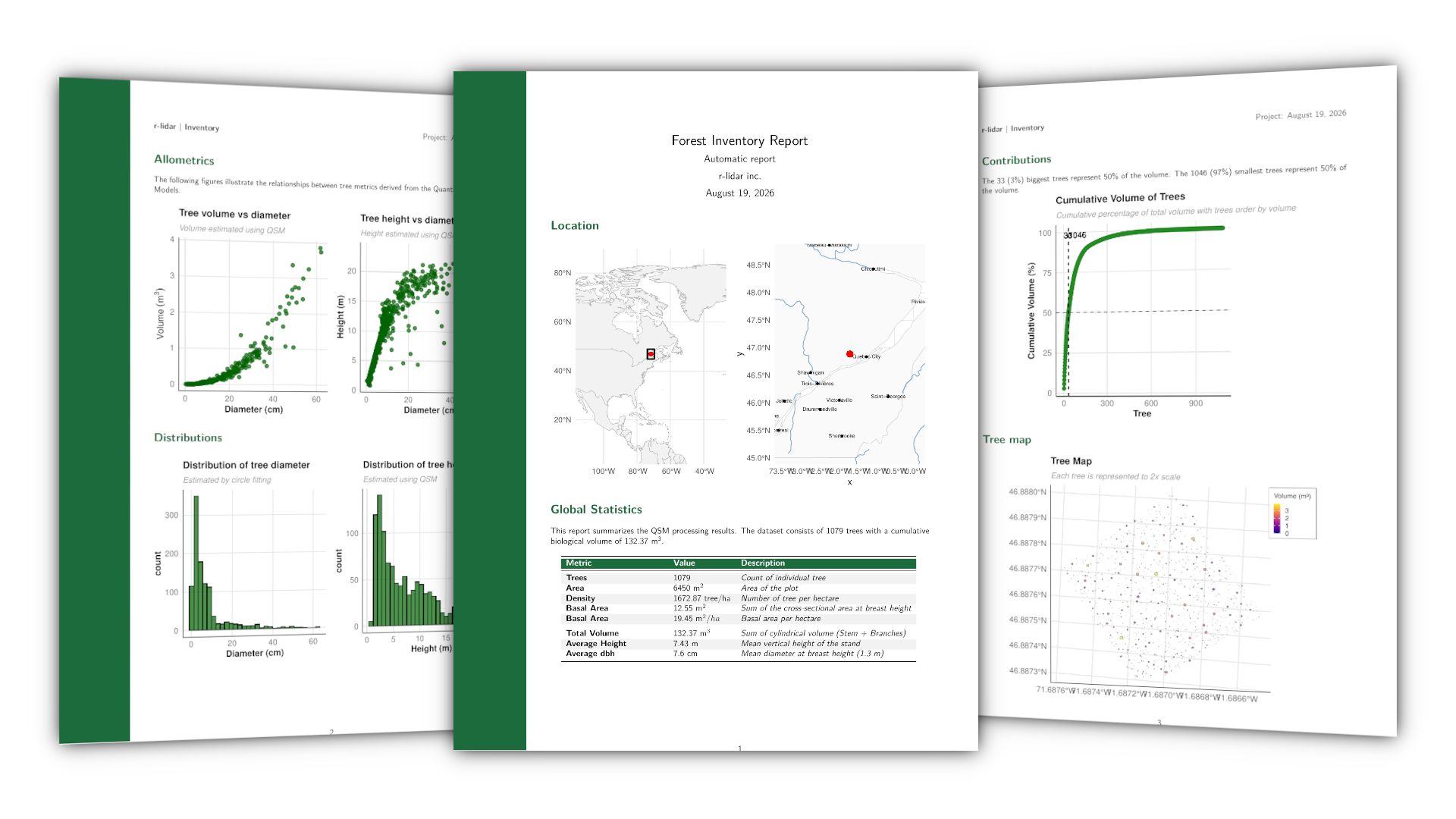
The report module generates a PDF that summarizes the scene (volume, basal area, distribution, tree map, …). The input is the directory produced by the qsf module.
arbor report qsm/qsm/